cash-register
Project Documentation: Cash Register Application
1. Project Overview
The Cash Register application was developed as part of a technical challenge to create a flexible, user-friendly system for managing a shopping cart. This system handles product additions, calculates the total price, and applies special pricing rules to meet the requirements provided. The main goals of the project included simplicity, maintainability, and scalability while adhering to a test-driven development methodology.
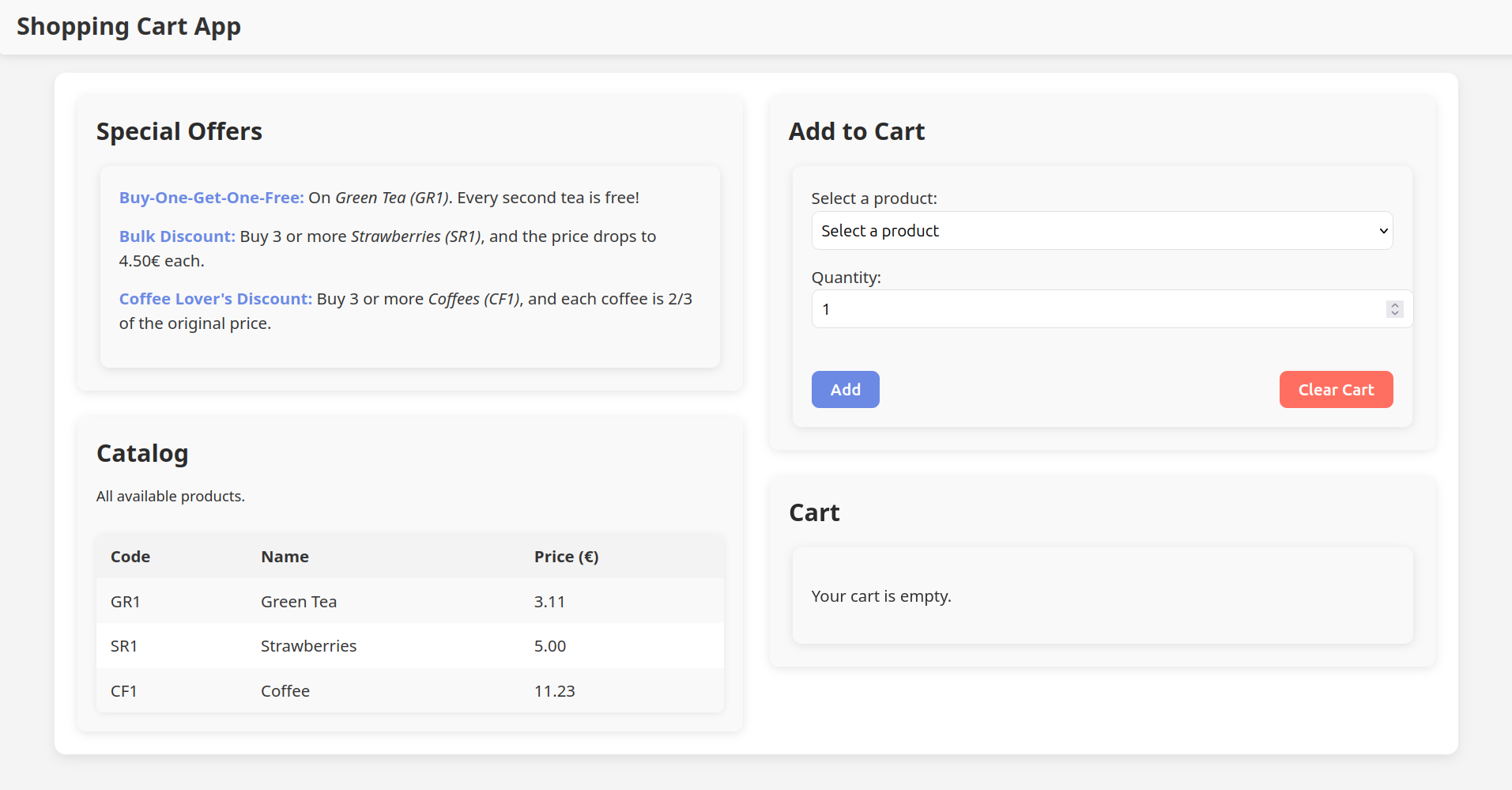
The core functionality revolves around three special pricing rules:
- Buy-One-Get-One-Free: Applies to Green Tea (GR1).
- Bulk Discount: Reduces the price of Strawberries (SR1) to €4.50 when purchasing 3 or more.
- Conditional Discount: Decreases the price of Coffee (CF1) to two-thirds of its original value when buying 3 or more.
2. Technical Requirements
Backend:
- Language & Framework: Python with FastAPI.
- Reason for Choice: FastAPI was chosen for its simplicity, structured approach, OpenAPI support, and seamless type definition generation for frontend integration.
- Business Logic: Encapsulated in modular Python classes:
- Catalog: Stores product information, including codes, names, and prices.
- Cart: Manages the state of the user’s cart, including adding and clearing items.
- Pricing Engine: Implements flexible, extendable business rules for applying discounts and price modifications.
- Models: FastAPI models provide clear API request/response definitions and type safety for the frontend.
Frontend:
- Framework: React with TypeScript.
- Styling: Custom CSS.
- Build Tool: Vite for rapid and efficient development.
- Integration: Leverages OpenAPI-generated TypeScript types for consistency and error-free communication with the backend.
Testing:
- Backend: Tests were written using Pytest, covering core business logic and API endpoints. These tests validate:
- Endpoints
- Special pricing rules.
- Cart management (e.g., adding and clearing items).
- Catalog content retrieval (e.g., for lists and selection slicers)
- Frontend: Testing was not completed due to time constraints, but Vitest was intended as the testing suite.
- Automation: GitHub Actions automatically execute backend tests upon code pushes and pull requests to ensure quality and reliability.
3. System Design
Architecture:
- Backend and frontend are decoupled, ensuring scalability and independent development cycles.
- The backend serves as the API provider, while the frontend handles user interactions and visualization.
Core Features:
- Add products to a shopping cart.
- Apply pricing rules dynamically.
- Provide a detailed breakdown of itemized costs and discounts.
Pricing Rules:
- Buy-One-Get-One-Free for Green Tea (GR1).
- Bulk Discount: €4.50 per unit for Strawberries (SR1) when buying 3 or more.
- Conditional Discount: Two-thirds price for Coffee (CF1) when purchasing 3 or more.
Documentation:
- The project documentation is available online at https://icalamesa.github.io/cash-register/.
- Alternatively, the API Swagger Documentation can be viewed locally by running the FastAPI server (
uvicorn app.main:create_app --reload --factory) and navigating to http://127.0.0.1:8000/docs.
4. API Features
Endpoints:
POST /cart/add:- Description: Add a product to the cart by providing its code and quantity.
- Request Body:
{ "code": "string", "quantity": "integer" } - Response:
{
  "message": "Product added to cart successfully"
}
GET /cart/list:- Description: Retrieve all items in the cart, including quantities, original prices, and any applicable discounts.
- Response:
{
  "items": [
    {
      "item": "GR1",
      "quantity": 2,
      "original_price": 6.22,
      "discounted_price": 3.11
    }
  ]
}
POST /cart/clear:- Description: Remove all items from the cart.
- Response:
{
  "message": "Cart cleared successfully"
}
GET /catalog/list:- Description: Retrieve all products in the catalog with their codes, names, and original prices.
- Response:
{
  "items": [
    {
      "code": "GR1",
      "name": "Green Tea",
      "price": 3.11
    }
  ]
}
5. Usage Instructions
- Installation:
- Run
make installto install all dependencies for both backend and frontend.
- Run
- Start the Backend:
- Use
make backendto start the FastAPI server.
- Use
- Start the Frontend:
- Run
make frontendto launch the React application.
- Run
- Generate TypeScript Types:
- Use
make typesto generate TypeScript types from the OpenAPI schema.
- Use
- Run the Full Application:
- Use
make runto start both the backend and frontend concurrently.
- Use
- Run Tests:
- Execute
make testto run backend tests.
- Execute